
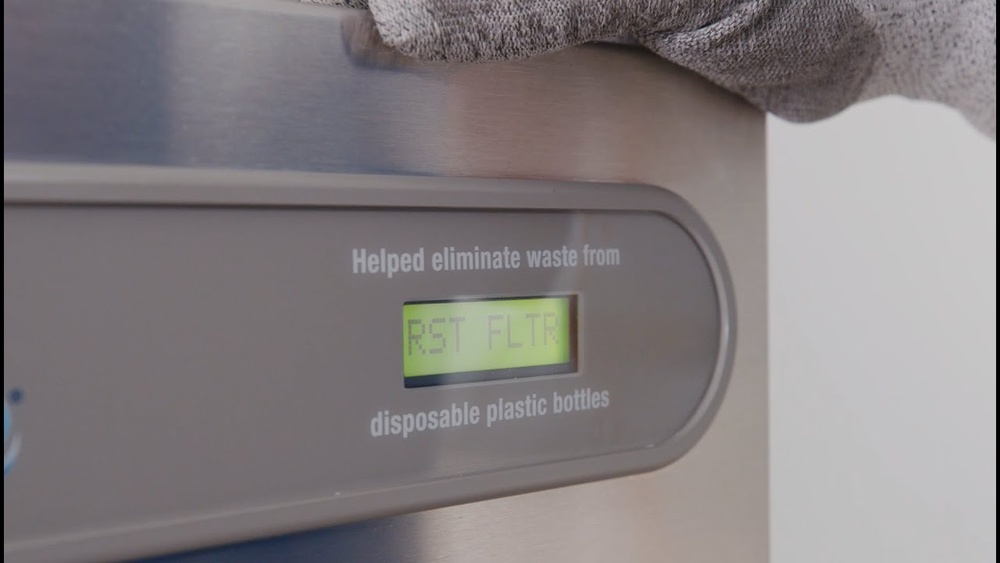
Is your Elkay water fountain’s filter status light stuck on or not updating? You might be wondering how to reset it quickly and easily.
Knowing how to reset the filter status on your Elkay water fountain can save you time and ensure your water stays fresh and clean. In this guide, you’ll learn simple steps that anyone can follow, even if you’re not tech-savvy.
Keep reading to discover how to get your water fountain back to perfect working order in no time.
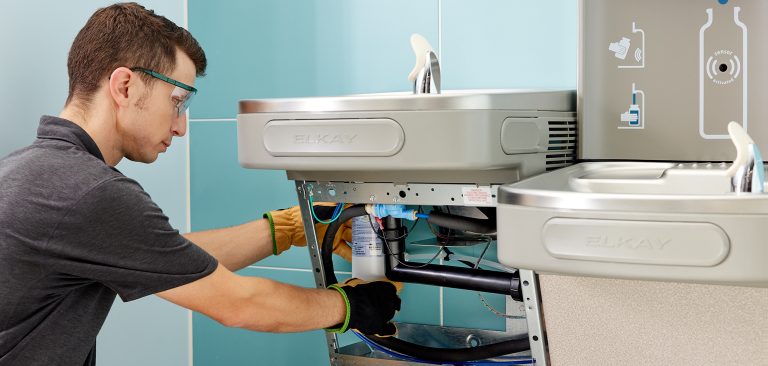
Elkay Water Fountain Filter Basics
The Elkay water fountain filter keeps your water clean and fresh. It removes dirt, chlorine, and other impurities. This helps improve taste and safety.
Knowing the filter basics helps you maintain the fountain better. It also ensures the water stays pure and safe to drink. Let’s explore the types of filters and the filter indicator purpose.
Types Of Filters
Elkay uses different filters for various needs. The most common is the carbon filter. It removes chlorine and bad smells from water.
Some models use sediment filters. These catch dirt and tiny particles. There are also combined filters that do both jobs.
Each filter type has a lifespan. Usually, it lasts about six months. Changing the filter on time keeps water clean and healthy.
Filter Indicator Purpose
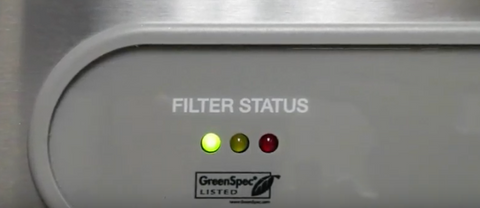
The filter indicator shows when to change the filter. It helps you keep track without guessing. The indicator may be a light or a digital display.
When the light turns red or the display shows a warning, it means the filter needs replacement. Resetting the indicator after changing the filter is important.
This keeps the system accurate and avoids bad water. The indicator ensures you always drink fresh, clean water.

When To Reset The Filter Status
Knowing when to reset the filter status on your Elkay water fountain helps keep water clean and fresh. Resetting at the right time ensures the filter works properly. It also prevents bad taste or odors in your drinking water.
Signs Filter Needs Resetting
The water flow slows down or feels weak. The filter status light on the fountain turns red or blinks. Water may taste strange or have a slight odor. These signs show the filter needs attention. Resetting the filter status helps the fountain track new filter use.
Benefits Of Resetting On Time
Resetting keeps the water safe and clean to drink. It helps the fountain give accurate filter life updates. Timely resets avoid damage to the water system. You get the best performance from your Elkay water fountain. Clean water tastes better and feels fresher.
Tools Needed For Reset
Resetting the filter status on an Elkay water fountain is simple. Having the right tools makes the task quicker and easier. Gather these tools before starting the reset process.
Small Flathead Screwdriver
A small flathead screwdriver helps press tiny reset buttons. It fits into narrow spaces easily. Keep it ready to avoid delays during the reset.
Soft Cloth Or Towel
Use a soft cloth or towel to clean the control panel. It removes dust and dirt gently. Clean surfaces ensure buttons respond correctly.
Replacement Filter (optional)
Sometimes, resetting follows a filter change. Having a new filter on hand is useful. Install it before resetting the filter status.
Instruction Manual
Keep the Elkay water fountain manual nearby. It guides step-by-step through the reset process. Refer to it for model-specific details.
Step-by-step Reset Process
Resetting the filter status on your Elkay water fountain keeps it working well. This step-by-step process helps you clear the filter alert after changing the filter. Follow these simple steps to reset the system quickly and easily.
Locating The Reset Button
First, find the reset button on your Elkay water fountain. It is usually near the control panel or under the fountain. Look for a small, round button labeled “Reset” or “Filter Reset.”
Check your user manual if you cannot find it. The button may be hidden behind a small cover or panel.
Performing The Reset
Press and hold the reset button for about 5 seconds. Use a pen or a thin object if the button is small. The fountain’s display will blink or change to show the reset is in progress.
Release the button once the light changes or stops blinking. This action clears the filter status and restarts the system.
Verifying Reset Completion
Check the display for the filter light. It should turn off or return to the normal status. Run water from the fountain to ensure it works properly.
Confirm no error messages or alerts appear on the screen. Your Elkay water fountain is now ready to use with a reset filter status.
Troubleshooting Common Issues
Troubleshooting common issues with the Elkay water fountain filter status helps keep it working well. Some problems stop the filter status from resetting properly. Knowing how to fix these issues saves time and effort. Follow these tips to solve two frequent problems.
Reset Button Not Responding
The reset button might not work if the fountain is off. Make sure the water fountain is plugged in and powered on. Press the reset button firmly and hold it for 5 seconds. If the button still does not respond, check for dirt or debris around it. Clean gently with a soft cloth. A stuck button may need light pressure to release. If the button remains unresponsive, the control board could be faulty. Contact a professional for repair or replacement.
Filter Status Not Updating
Sometimes, the filter status light does not change after a reset. This may happen if the filter sensor is dirty. Wipe the sensor area with a clean, dry cloth. Reset the filter status again after cleaning. Another cause is a low battery in the control unit, if applicable. Replace the battery to restore normal function. Make sure the filter is installed correctly. A loose filter can stop the sensor from working. Check the filter seating and tighten if needed. If the status still does not update, the sensor may need service.
Maintaining Your Elkay Water Fountain
Maintaining your Elkay water fountain keeps it clean and working well. Regular care prevents problems and ensures fresh water. Simple steps can extend your fountain’s life. Follow basic guidelines to enjoy pure water every day.
Regular Filter Replacement Tips
Change the filter often. Elkay recommends replacing filters every six months. Check the filter status light for reminders. Use only Elkay-approved filters for best results. Turn off the water before removing the old filter. Install the new filter firmly to avoid leaks. Reset the filter status after replacement to track usage.
Cleaning Recommendations
Clean the fountain every month. Use a soft cloth and mild soap. Avoid harsh chemicals that can damage the surface. Wipe the nozzle and basin to prevent buildup. Flush the system with water after cleaning. Keep the fountain dry to stop mold growth. Regular cleaning improves water taste and safety.
Frequently Asked Questions
How Do I Reset The Filter Status On An Elkay Water Fountain?
To reset the filter status, press and hold the reset button for 5 seconds. The indicator light will blink, confirming the reset. This clears the filter alert and starts a new filter cycle.
When Should I Reset The Filter Status On Elkay Fountains?
Reset the filter status after installing a new filter cartridge. This ensures accurate tracking of filter usage and water quality. Regular resets maintain optimal fountain performance.
What If The Filter Status Won’t Reset On My Elkay Fountain?
If resetting fails, check the power supply and connections. Refer to the user manual for troubleshooting or contact Elkay support for assistance. Avoid forcing the reset button repeatedly.
Does Resetting The Filter Status Affect Water Quality?
No, resetting only updates the filter usage indicator. It does not change water filtration or quality. Always replace filters on time for safe drinking water.
Conclusion
Resetting the filter status on your Elkay water fountain keeps it working well. It helps ensure clean, fresh water every time you drink. The process is quick and easy to follow. Regular resets also help you know when to change the filter.
This simple step improves water quality and fountain performance. Keep your fountain in top shape with this small task. It saves you time and avoids problems later. Remember, clean water means better health for you and your family.

Hasan Al Sarker is a Reverse Osmosis Specialist. He has worked for many years to ensure safe drinking water for all. His research paper has been published in several journals, including Issue, Medium, and Slideshare. He is recognized as a water doctor among specialists though he did not attend medical college.
Besides working as a researcher of reverse osmosis technology, he is also very fancy with the kitchen and cooking. His guides are reading thousands of people every day. As a head of content, he is responsible for all the published articles at RO System Reviews.