
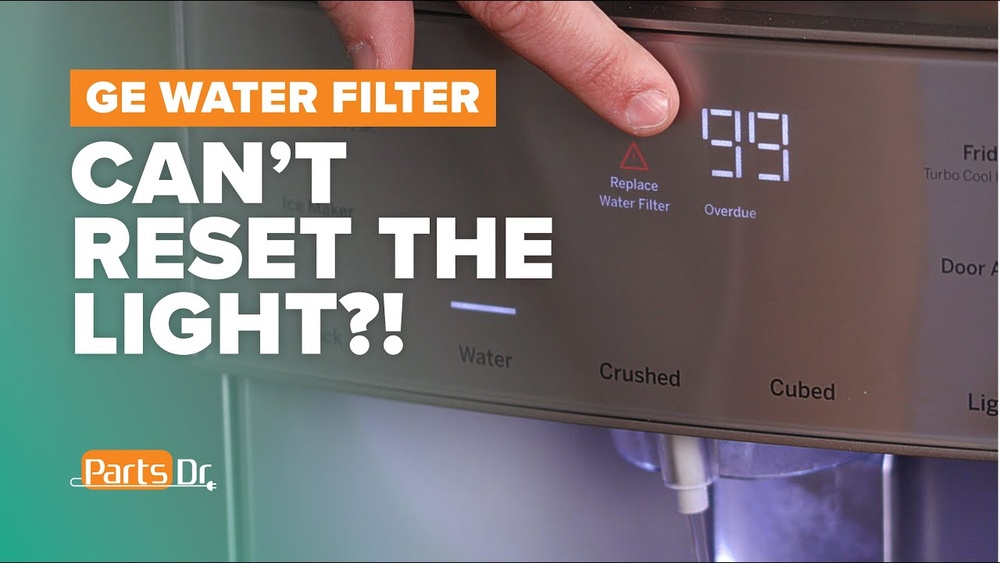
Is your GE fridge’s water filter indicator stuck on or not resetting after you’ve changed the filter? You’re not alone, and it can be frustrating when your fridge won’t recognize the new filter.
But don’t worry—resetting your water filter is easier than you think. In this guide, you’ll learn simple, step-by-step instructions to reset your GE fridge water filter quickly. By the end, you’ll know exactly how to keep your water tasting fresh and your fridge running smoothly.
Keep reading to find out how!

Signs To Reset Water Filter
Knowing when to reset the water filter in your GE fridge is important. It keeps your water clean and fresh. Watch for signs that tell you the filter needs attention. These signs help you keep your fridge working well.
Water Taste And Odor Changes
Water that tastes strange or smells bad can mean the filter is old. The filter may no longer remove bad tastes and odors. Fresh, clean water should taste clear and pure. If it does not, reset the filter soon.
Filter Indicator Light
The filter indicator light on your fridge shows the filter status. When it glows or blinks, it means the filter needs resetting. This light helps you know the right time to act. Ignoring it can cause water quality to drop.
Water Flow Issues
Slow water flow from the dispenser may point to a clogged filter. A dirty filter blocks water and reduces flow. Resetting the water filter can restore normal flow. Watch for weak water streams as a sign to reset.
Locate The Water Filter
Finding the water filter in your GE fridge is the first step to resetting it. The filter cleans the water and keeps your drinks fresh. Knowing its exact location helps you replace or reset it quickly. Water filters are usually easy to reach but can be in different spots depending on the model.
Common Filter Locations
Most GE fridge water filters sit inside the fridge. Often, they are near the top right corner or the bottom grille. Some models have the filter in the fresh food compartment, close to the door. Others place it in the base grille or behind a panel. Check these usual spots first to save time.
Check Your Model Manual
The user manual gives clear directions about your water filter’s location. It shows pictures and exact spots. Manuals help avoid confusion and prevent damage. If you lost the paper copy, you can download it from GE’s official website. Use your model number to find the right guide fast.
Steps To Reset The Filter
Resetting the water filter on your GE fridge is simple. Follow clear steps to remove the old filter, install the new one, and reset the filter indicator. This keeps your water tasting fresh and your fridge running well.
Remove The Old Filter
Locate the water filter inside your fridge. It is usually in the upper right corner or bottom grille. Turn the filter counterclockwise to unlock it. Pull the filter straight out gently. Dispose of the old filter properly.
Install The New Filter
Take your new filter out of the packaging. Align the filter with the slot in the fridge. Push the filter in until it stops. Turn it clockwise to lock it in place. Make sure it is secure and snug.
Reset The Filter Indicator
Find the filter reset button on the control panel. Press and hold the button for about 3 seconds. The filter indicator light will turn off. This shows the filter has been reset. Your fridge is now ready to use.
Manual Vs. Automatic Reset
Resetting the water filter on a GE fridge is simple. Some models need manual reset. Others reset automatically. Knowing your fridge type helps save time and effort. It also ensures the filter works well and water stays clean.
Models With Manual Reset
Manual reset models require you to press a button or switch. This button is usually near the water filter or on the fridge control panel. You must press and hold it for a few seconds. The filter light will turn off. This shows the reset is complete. If the light stays on, try again or check the user manual. Manual reset gives control to the user. It helps track filter changes easily.
Models With Automatic Reset
Automatic reset models reset by themselves after you change the filter. The fridge senses the new filter and clears the alert. No button pressing needed. The water filter light will turn off in a few minutes. This feature is convenient. It reduces the chance of errors. Users just replace the filter and wait. The fridge handles the rest. It makes maintenance quick and easy.
Troubleshooting Tips
Troubleshooting your GE fridge water filter reset can save time and effort. Small issues may stop the filter indicator from working properly or affect water flow. Simple checks and fixes often solve these problems quickly. This guide helps you handle common issues with ease.
Filter Indicator Stays On
The filter light may stay on after a reset. This usually means the reset process did not complete. Try pressing and holding the reset button for about 3 seconds until the light changes. If the light remains, check if the filter is installed correctly. A loose filter can cause the indicator to stay lit.
Make sure to use the right filter model for your fridge. Some models have different reset methods. Consult your fridge manual to confirm the exact steps. Power cycling the fridge by unplugging it for a minute can also help clear the error.
Water Flow Problems After Reset
After resetting the filter, water flow might slow down or stop. This happens if air gets trapped in the water line. Run water through the dispenser for several minutes to clear air pockets. Also, check the water supply valve is fully open and not blocked.
Inspect the filter for clogs or damage. A faulty filter can reduce water flow. Replace it if necessary with a genuine GE filter. If water flow issues continue, the fridge’s water inlet valve may need checking or replacement.
Maintenance Tips For Water Filters
Keeping your GE fridge water filter clean and working well is key. Good maintenance helps your water taste fresh and keeps the filter lasting longer. Simple care steps make a big difference in water quality and fridge performance.
Follow these tips to keep your water filter in top shape and avoid common problems. Regular attention saves time and money in the long run.
Filter Replacement Frequency
Change the water filter every six months for best results. This timing keeps your water clear and safe to drink. Some filters may need changing sooner if you use a lot of water. Watch for signs like slow water flow or odd taste. These hints mean the filter is full and less effective.
Cleaning The Filter Housing
Clean the area where the filter sits each time you replace it. Dirt and buildup can block water flow and reduce filter life. Use a soft cloth and mild soap to wipe the housing gently. Rinse well to remove soap residue. Dry the housing fully before installing a new filter.

Frequently Asked Questions
How Do I Reset The Water Filter On A Ge Fridge?
Press and hold the “Reset” or “Filter Reset” button for 3 seconds. The indicator light will blink and then turn off, signaling the reset is complete.
When Should I Reset My Ge Fridge Water Filter?
Reset your water filter after every filter change or every 6 months. This ensures the filter status light accurately reflects the current filter’s condition.
What If The Water Filter Reset Light Won’t Turn Off?
Try pressing and holding the reset button longer, about 5 seconds. If it still stays on, check the filter installation or replace the filter if needed.
Can I Reset The Water Filter Without Replacing It?
Yes, you can reset the filter light without replacing the filter. However, it’s recommended to replace the filter regularly for clean water and ice.
Conclusion
Resetting the water filter on your GE fridge is simple. Just follow the steps carefully. This helps keep your water fresh and clean. Regular resets also keep your fridge working well. Don’t skip this task to avoid bad taste or leaks.
A quick reset saves time and effort. Now, you can enjoy fresh water anytime. Keep your fridge in good shape with this easy tip. Small actions make a big difference in daily use.

Hasan Al Sarker is a Reverse Osmosis Specialist. He has worked for many years to ensure safe drinking water for all. His research paper has been published in several journals, including Issue, Medium, and Slideshare. He is recognized as a water doctor among specialists though he did not attend medical college.
Besides working as a researcher of reverse osmosis technology, he is also very fancy with the kitchen and cooking. His guides are reading thousands of people every day. As a head of content, he is responsible for all the published articles at RO System Reviews.